Overview
This guide highlights the differences between versions of FUYL Lockers to help identify your product when seeking support.
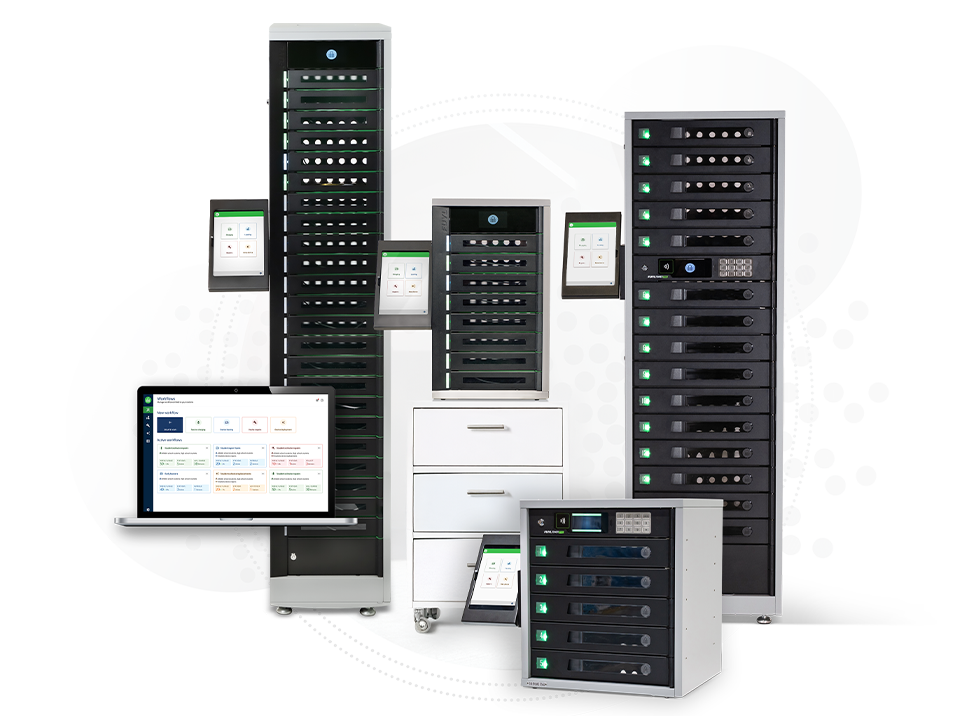
Modern FUYL Lockers
Use the checks below to tell modern FUYL Lockers apart. The FUYL 8 and FUYL 23 (MK4) can also be identified at a glance by their number of bays (8 and 23 respectively), and by having no numeric keypad or RFID reader.
| Check | FUYL 8 & FUYL 23 (MK4) | FUYL Tower Pro (MK3) | FUYL Tower (MK2 & 2.5) |
|---|---|---|---|
| Serial number location | Riveted near the bottom of the locker's left side, towards the back | Riveted to the bottom left of the front of the locker | Riveted to the bottom left of the front of the locker |
| Serial number includes | MK4 | MK3 | - |
| Charging in each bay | USB-C cable, wired through to the side access panel | USB-C PD port, with optional cables and retention kits | USB-A port, with optional cables and retention kits |
| Power outlet (GPO) in each bay | No | Yes | Yes |
MK2 or MK2.5?
Some second generation FUYL Lockers may have been fitted with a newer control door, so it's also important to differentiate between the following components if prompted by our support team. These are considered "MK2.5", though share End Of Life with FUYL Tower (MK2) products.
| FUYL Tower (MK2.5) | FUYL Tower (MK2) |
|---|---|
| Has a black cover/case over the back of the control door, and no SD Card slot | Has no plastic cover over the back of the control door, with a MicroSD card slot |
Older FUYL Lockers (MK1)
The first generation FUYL Locker was available in a white finish, with a 2-line simple LCD display on the control door.
If your FUYL Locker has individual PIN pads on each bay, it may be a FUYL™ Cell. See here for support with this product.
Other FUYL Products
If your FUYL product doesn't match any of the descriptions above, please contact support for assistance in identification.